MarkGaler.com
Premium Photoshop Actions and Tutorials
Adobe Photoshop 10: Maximum Performance


Posts Tagged ‘photoshop’


Free Photoshop CS6 iBook

Image Resource Pack for Photoshop CS6 iBook

A free Photoshop CS6 eChapter is now available to downloadfrom iTunes for your iPad Grab the free download by going to the ‘Books’ section in iTunes and search for Photoshop CS6 Essential Skills. Or check it out onl...
by Mark


focus

FREE Tutorial – Maximising Sharpness

Sharp detail is one of the big ‘wow’ factors that separate the pro images from the ‘so so’ images. When your clients zoom in, or lean in, to one of your images you want them to spontaneously utter ‘wow that’s shar...
by Mark


Movies-feature

Tutorial Bundle: Photoshop Elements

Tutorial Pack (includes 2 hours of movie tutorials, images + 3 Bonus Actions) “Using crafty work-arounds to achieve remarkable results Mark Galer pushes Elements capabilities to new levels” Christy Brandt, Director ...
by Mark


LR4-fig01

Photoshop Lightroom 4 Beta: Review

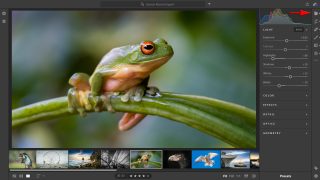
Photoshop Lightroom 4: Public Beta An overview by Mark Galer Adobe has released its public beta for Lightroom. You can download a copy from: http://labs.adobe.com/technologies/lightroom4/  As a beta version of the software it ...
by Mark


Lightroom-4-Beta

Adobe Photoshop Lightroom 4 Beta

Six years after the first public beta of Adobe Lightroom, the latest version of Lightroom is available for early adopters to try out and put through the paces. New Features in Lightroom 4 Beta Highlight and shadow recovery bri...
by Mark


Mark

PHOTO WORKSHOP: Creative Processing: SUNSHINE COAST (Australia) – April 13/14/15

     http://www.worldadventures.com.au Join world leading Adobe Lightroom, Photoshop and Elements guru Mark Galer, plus Darran Leal for three digital packed days of the best information to help you be creative with y...
by Mark


Flare-07-After

Creative Lens Flare: Delicious Light Leaks for a Dreamlike Look only $2

This purchase includes a collection of 4 actions and 40 resource files for adding creative lens flare to your images. Add creative lens flare to your images in a controlled way using Photoshop and this action and image resource...
by Mark


Venice-After2

Borders and Textures: Gritty, Grungy Edges for only $2

  This purchase includes a collection of 6 actions and 44 resource files for adding borders and textures to your images. Get ‘down and dirty’ and experience life on the edge. Use this resource pack to create a whole ra...
by Mark


Selective Color Grading or Color Treatment

Selective Grading: Color Toning Made Easy only $2

A Photoshop tutorial that demonstrates color grading and toning. These effects emulate the stylized treatments available from mobile apps such as Hipstamatic and Instagram. The action set allows the user to choose from a gradin...
by Mark


Portrait-FEATURE

High Impact Effect: Create Maximum Drama In Your Images for Only $2

This action set (containing eight variations) will provide you with a quick and easy solution for applying a high impact effect to your images. The action enhances detail and depth to create a dramatic final image. The action h...
by admin


Venice

Faux Holga: Create Toy Camera, Lomo Effect With Any Image- Only $2

If you are getting tired of pin-sharp, noise-free, character-free images from your 20 Megapixel Pro DSLR, try this grunge effect to give your images the toy camera aesthetic – think WEIRD – think GRUNGE, think ART! ...
by admin


Toning-FEATURE

Toning Action: Classic Old Film Color Drift Look for $2

This action set includes multiple actions for emulating old film (a series of color drift actions), cross-processed film, split-toned images and classic sepia and bronze toning effects. The user can play each action separately ...
by admin


Vignette-Animation

Vignettes: Darken Image Edges for Increased Drama only $2

The action set for creating vignettes allows the user to choose from different ‘strength’ settings and can be applied to single or multi-layered files. The actions can be applied with just a single click of the mous...
by admin


SONY DSC

Smooth Tone

Smooth or crunchy? A multi-megapixel digital camera with a pin-sharp lens is a cruel combination for showing every minor imperfection in surfaces that would look better if rendered smooth. This one-click action renders surfaces...
by admin


HighKey-FEATURE

High-Key

This action set (containing two variations) provides the user with a quick and easy solution for applying a high impact High-Key effect to your images. Using some advanced blending techniques in conjunction with an adjustment l...
by admin


BW-FEATURE

Black & White

This action set extracts the Red, Green, Blue and Luminance information from the Master RGB file and creates individual monochrome layers above the background layer. The action renames each layer accordingly and adds a layer ma...
by admin


Tonal-Mapping-FEATURED

HDR Toning Preset: CS5 Only

This HDR Toning preset is designed for users of Photoshop CS5 who want a preset that offers a better starting point than the existing presets for creating the Faux HDR look. It minimized halos and retains detail in the highligh...
by Mark


HSL

Luminance Preset for the Black and White adjustment layer

The most useful way to target color or tonality in Adobe Camera Raw is with the HSL sliders. The Luminance slider cannot be found, however, in the main editing space of Photoshop. If the Lightness slider is used to control the ...
by admin


folder_0

Photoshop Elements Maximum Performance Pack

The Maximum Performance Pack includes the following items: Load Selection and Channels actions, the Maximum Performance Gradients preset and the printable Shortcuts file for Windows and Mac users. This product is recommended fo...
by admin


23-10-11_Whats-New

Free Seminar: Photoshop CS5 and Lightroom 3 – What’s New?

An eSeminar on the best new features of Photoshop CS5 and Lightroom 3. This eSeminar looked at my ‘magnificent 7′  features and the best of the rest. The recording of this seminar can be seen at: http://pacific.ado...
by Mark


5-08-10-Refine-Edge

Free Seminar: Refine Edge – Masking Made Easy

This eSeminar covers masking techniques using Refine Edge/Refine Mask. This eSeminar looked at some basic masking techniques that have been around for a while and then some of the great new techniques that are now possible usin...
by Mark


08-07-10_LR3-CS5-2

Free Seminar: Working with Photoshop CS5 and Lightroom 3

This eSeminar (recorded for Adobe) covers the integration between Lightroom 3 and Photoshop CS5. The eSeminar looks at the new processing engine shared by both pieces of software, plug-ins for Lightroom 3 and how we can pass fi...
by Mark


29-06-2010-HDR-CS5-2_0_0

Free Seminar: Merge to HDR-PRO e-Seminar

I delivered an eSeminar last week on High Dynamic Range Photography. This eSeminar looked at the new Merge to HDR Pro feature in Photoshop CS5, Tonal Mapping or ‘Faux HDR’ treatments, plug-ins for Lightroom that facilitate ...
by Mark


12-05-10_esem-ACR

Free e-Seminar: RAW Workflows

This eSeminar looked at some basic Raw processing, the new features in Adobe Camera Raw 6 that ships with Photoshop CS5 and also an editing workflow where a file is passed between Adobe Camera Raw (ACR) and the main editing spa...
by Mark


12-04-2010_PS_CS5_Extended

Adobe Photoshop CS5

You would have to have been locked in a cupboard for the last couple of weeks to not know that Photoshop 5 has announced. Take a look at what I think is one of the best new features. The tutorial is available at the following l...
by Mark


16-03-2010_layers-1_1

Free eSeminar: Everything you need to know about layers in Adobe Photoshop

I delivered an eSeminar this week that covered pretty much everything you need to know about layers in Photoshop. You can see a recording of the seminar by clicking on the link below. The recordings some times don’t respond w...
by Mark


18-01-2010_Brooklyn-Bridge

Free eSeminar: Faux Effects

I delivered an eSeminar today on creating Faux effects. There were technical errors that prevented attendees logging in for the start of the eSeminar and the sound quality of the recording is audible but not up to scratch (it s...
by Mark